.png?width=180&height=52&name=image%20(1).png)
Connecting thanks.io with Sure Send allows you to automatically add contacts to your thanks.io mailer automations. The setup only takes a few simple steps.
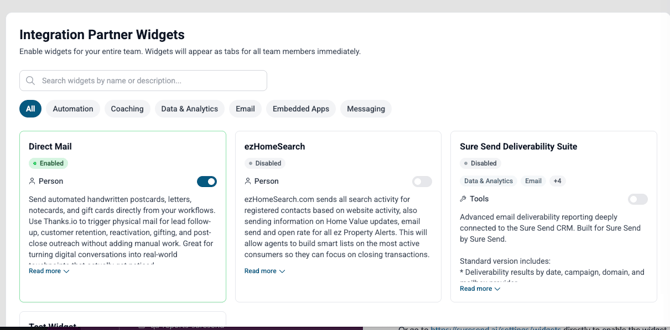
Step 1: Enable the “Direct Mail” Widget
- Go to: https://suresend.ai/settings/widgets
- Locate the Direct Mail widget
- Enable it
Step 2: Authorize Your Accounts
- Open any Person Detail page in Sure Send (any contact will work)
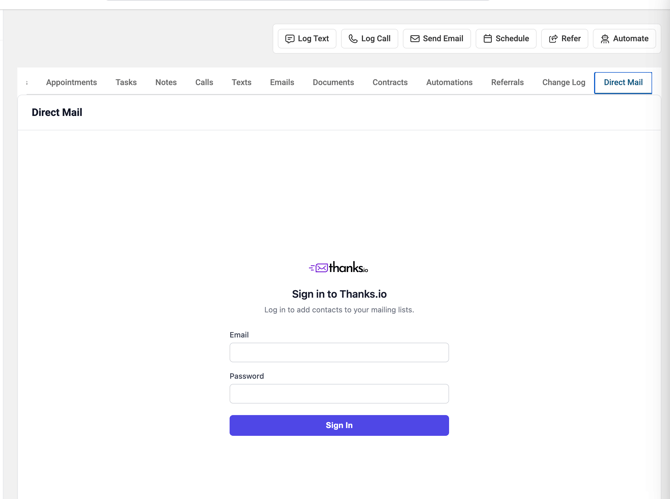
- Click on the Direct Mail tab
- Enter your thanks.io credentials and click Sign In
- Click Connect to Sure Send
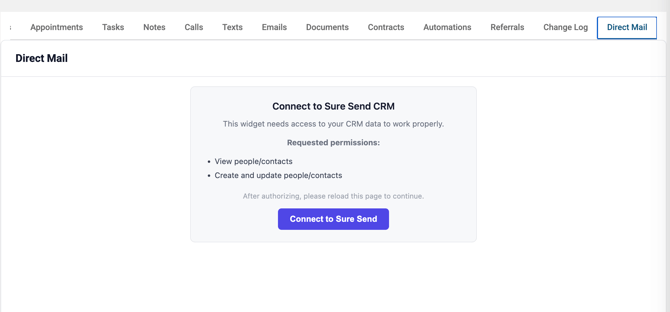
- Approve the authorization request
Once completed, refresh the page. Your Sure Send account will now be connected to thanks.io.
Step 3: Add a Webhook (Optional)
You can configure Sure Send to automatically add contacts to a thanks.io mailing list.
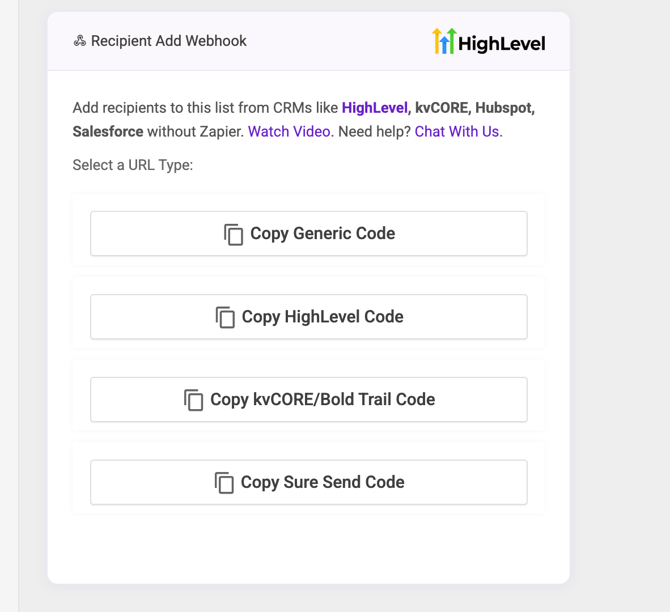
- In thanks.io, navigate to the Mailing List you want to use
- Scroll to the Recipient Add Webhook section
- Click Copy Sure Send Code
Then:
- Go to: https://suresend.ai/settings/webhooks
- Create a new webhook using the copied URL
✅ That’s it!
Your integration is now set up. You can start triggering thanks.io mailings directly from Sure Send actions.