Print Protect
Print Protect (formerly Postal Protect®) is a proprietary coating applied by our print partner that is designed to safeguard your mail pieces from damage during post office processing. Specifically, it helps prevent smudges that can appear on finished cards after they pass through USPS sorting facilities.
While smudging during mail handling is outside of our direct control, our print partner has invested significant effort into resolving the issue. Their work has included:
- Researching different paper types, printing equipment, ink, and coating options.
- Collaborating directly with USPS sorting facility managers to identify and reduce the root cause.
The result is the Print Protect coating. Once you turn it on, it is applied to every postcard you send.
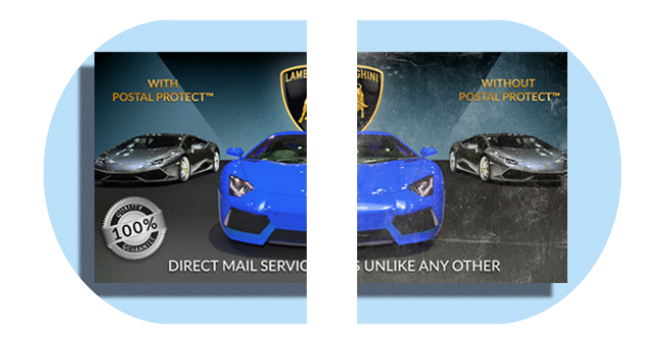
Example
The image below shows the coating in action - comparing a treated piece to an untreated one after USPS handling:
Turning on Print Protect
Print Protect is an account setting for postcards. It adds a small extra charge per postcard, shown next to the setting.
- From your settings: go to Settings → Mail Preferences (from the account menu at the top right) and turn on Print Protect in the Delivery card. Turn it off the same way at any time.
- After a send: when you place a postcard order without it, the confirmation page offers Turn on Print Protect for My Orders.