.png?width=180&height=52&name=image%20(1).png)
What are subaccounts?
Subaccounts let you segment your thanks.io account into multiple brands, teams, offices, or locations. Each subaccount has its own return address, image templates, message templates, campaigns, and billing history.
Billing note: Transaction history is separated per subaccount, but all subaccounts share a single payment method. If you need to bill separate teams independently, you would need to handle that invoicing on your end.
How to create a subaccount
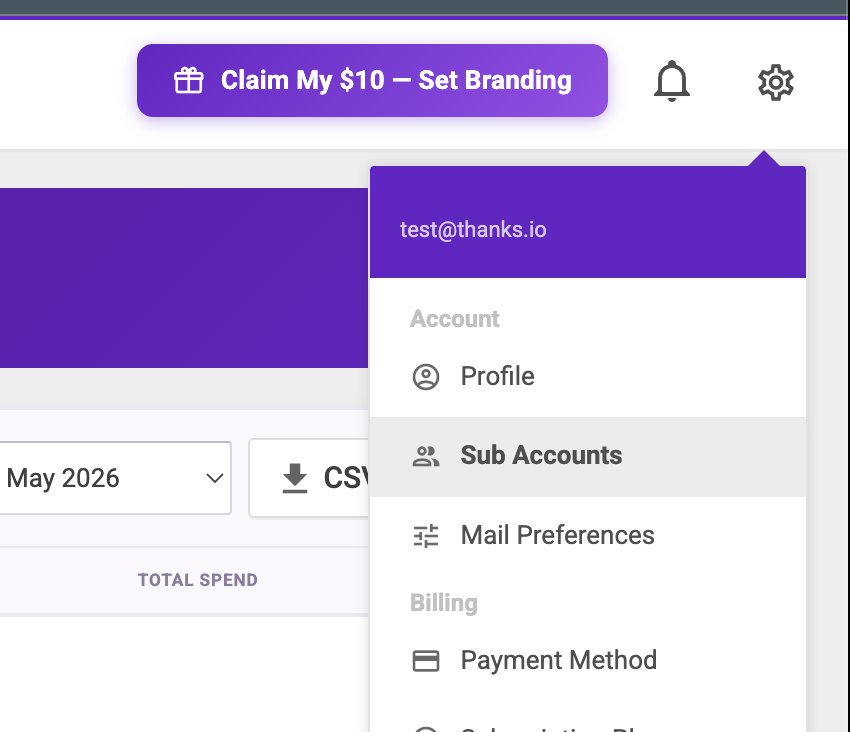
Go to Settings → Sub Accounts
When creating a subaccount you only need to provide:
- Title - displayed in the left-hand navigation to identify the subaccount
- Name — used as the Return Name on outgoing mail
You can leave the return address blank. If you do, the return address from your main account settings will be used by default.
Managing subaccount content
Templates and campaigns saved inside a subaccount are visible from the main account, but can only be edited after switching into that subaccount. When viewing content from your main account, you'll see which subaccount each campaign or template belongs to.
After adding a subaccount, refresh your dashboard and switch into it to set up subaccount-specific image templates, message templates, campaigns, or run the Branding Builder to configure its branding.